Trusted by MSPs and IT teams since 2010

Monitoring that just works.

Catch problems early, reduce alert fatigue, and keep systems healthy. A lightweight, read-only agent for Mac, Windows and Linux, plus Chromebooks through Google Workspace, with 150+ checks your RMM was never built to run.

30-day free trial · No credit card required · Unlimited users

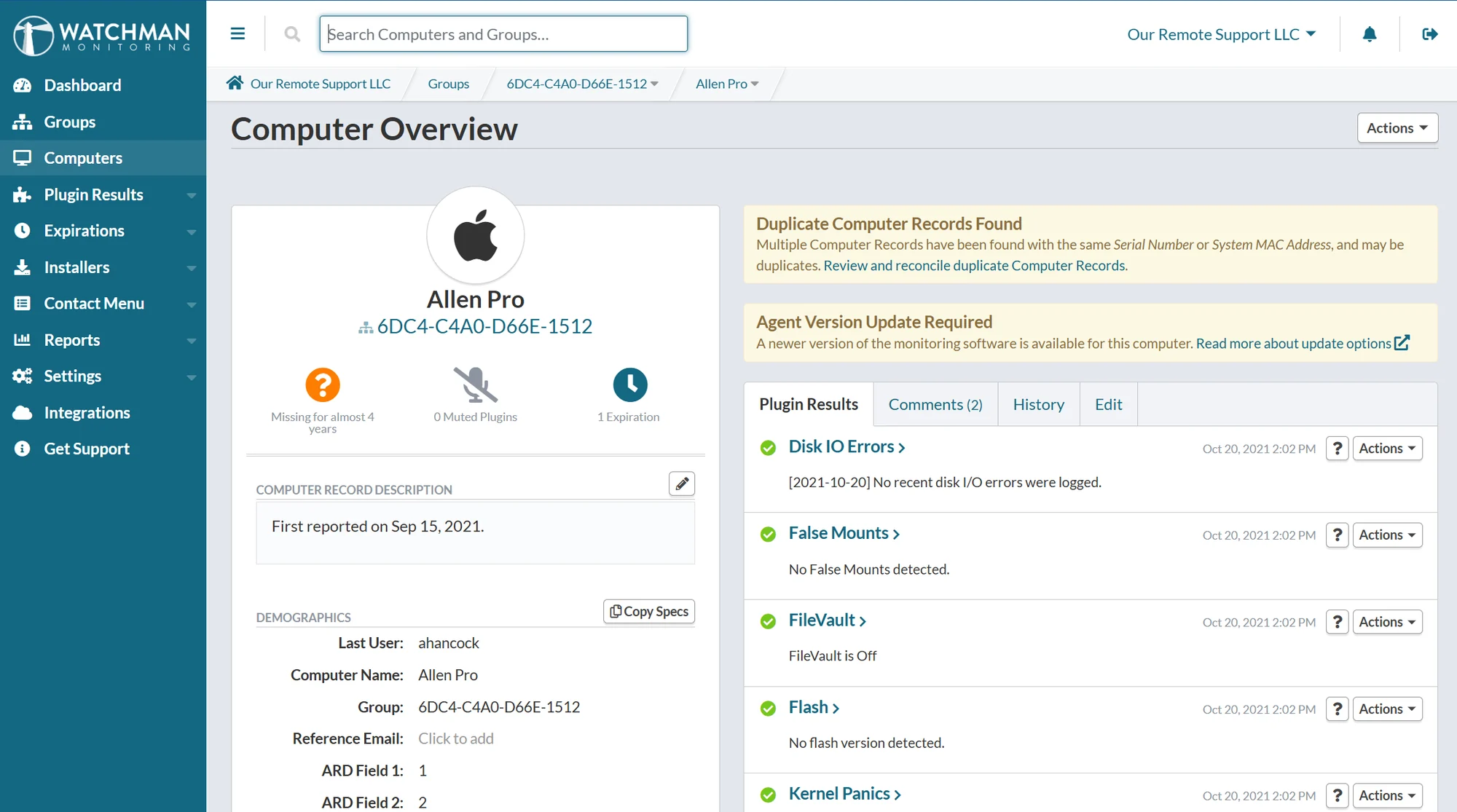
The Watchman Monitoring Dashboard showing a Mac's computer overview and plugin results
Years in business, privately owned, not backed by private equity
15+ years
Of customers stay, month after month
99% retention
Endpoints continuously monitored
300K+
Countries with Watchman Monitoring customers
28+

For MSPs and consultants

Monitoring your clients will pay you for

Most Watchman Monitoring subscribers are IT consultants and MSPs, and many of them built a recurring service on it. Monitoring turns break-fix into scheduled, proactive work you can bill for every month.

Resell it
Resale licensing comes with every MSP / Consultant plan, so you can bill each client for monitoring as its own line item.
Reports for client reviews
Monthly or quarterly PDF reports for every client group, generated automatically. We email you when they're ready to send.
Call them first
Find the failing drive, the stopped backup or the expiring AppleCare before the client does, and turn it into scheduled work.
Under your brand
Custom Branding puts your name and logo on the Contact Menu, installers and reports your clients see.

MSP pricing, with resale licensing on every plan

One source of truth

Every computer you manage, in one place

Your Macs live in an MDM, your PCs in an RMM, your Chromebooks in Google Workspace, and Apple Business Manager knows what your clients bought. Watchman Monitoring pulls them into one dashboard, so you can find the computers nobody is watching, see what checked in where, and open the ticket in your PSA.

How it works

  • MacsAgent, deployed with your MDM
  • Windows PCsAgent, deployed with your RMM
  • Linux serversAgent, one compiled binary
  • ChromebooksSynced from Google Workspace
  • Apple Business ManagerPurchases, AppleCare, MDM assignment
Watchman Monitoring
  • Every computer, and when it last checked in
  • 150+ checks, no scripts to write
  • Warranties and expirations tracked
  • Tickets in your PSA
  • Counts and reports for billing

Recently shipped

Actively built, and shaped by subscribers

20 releases in the past 12 months, based on feedback from users. Every one is written up in plain language.

All release notes

ChromeOS MonitoringDashboardLinux ClientMac ClientWindows Client

Monitoring Policies: Control Plugin Alerts Fleet-Wide

Today’s dashboard update adds Monitoring Policies: a named, reusable answer to the question “how should this plugin notify us?”, applied to as many computers as you like. No agent update is required. This is a server-side dashboard feature, and nothing changes until you apply a Policy. Every computer starts with no Policy, which behaves exactly…

Dashboard

Apple Business Manager Integration Improvements

Ten days ago we connected Watchman Monitoring to Apple Business Manager and Apple School Manager. Today’s dashboard update is the follow-up pass: the lists now show you every Mac instead of a sample, and the tables sort. Both Mac lists are paginated instead of truncating The enriched list and the “no agent installed” list each showed…

DashboardMac Client

Apple Business Manager Integration: AppleCare Dates, MDM Enrollment, and the Macs You Aren’t Monitoring

Today’s dashboard update connects Watchman Monitoring to Apple Business Manager and Apple School Manager. Once a connection is in place, the Macs you already monitor pick up their purchase history, AppleCare coverage, and MDM enrollment statedirectly from Apple. No agent update is required, and nothing is installed on the Macs. This is a dashboard feature…

In their words

Trusted by IT pros worldwide

“We would not be as successful as we are today if it wasn't for Watchman Monitoring: it's part of our sales pitch; it's the first thing we install and is the linchpin of our IT Consulting offerings.”

Jason Ross
TSP IT Services · Read the case study

“It just works. So many services we pay for “mostly” work. This is a pleasure to use.”

Peter · IT consultant

“I love Watchman so much. It's very helpful, the amount of data I can get from it, and the hourly client check-ins.”

Brooke · University IT

“Love it, hasn't skipped a beat!”

Damiano · IT consultant

“The information is easy to find. The UI is simple.”

Christopher · IT consultant

“Very stable service.”

Steve · Mac consultant

“It's so easy to get the information I need.”

Genevieve · IT services

“Been using it for years. It's fantastic.”

Andrew · IT consultant

“Years of excellent utility!”

Adam · Mac consultant

From subscribers' answers to our in-app satisfaction survey, 2026. Read the case studies

Frequently asked questions

How is Watchman Monitoring different from an RMM?
Watchman Monitoring focuses on monitoring, not management. It runs lightweight, targeted checks to surface issues early, without overwhelming you with noisy alerts. Many subscribers run it alongside their RMM for deeper insight.
What operating systems are supported?
Agents run on macOS, Windows and Linux, with support for the latest OS releases. ChromeOS devices sync in through the Google Workspace integration.
Do I need to sign a contract?
No contracts required. You're billed monthly or annually, and you can cancel at any time.
Is the free trial limited?
No. The 30-day free trial is fully featured, with no credit card required, so you have time to see how Watchman Monitoring fits your workflow.
Does the agent slow down endpoints?
No. The agent is designed to be lightweight, running quietly in the background without interrupting end users.
How many checks does Watchman Monitoring perform?
The agent runs 150+ automated checks covering hardware health, backups, security and OS issues, giving you broad visibility with minimal setup.

See what Watchman Monitoring finds on your fleet.

Start a free 30-day trial. Every feature, no credit card, and most teams see their first findings on the first check-in.