Release notes · Dashboard · Release Notes
Apple Business Manager Integration Improvements
Ten days ago we connected Watchman Monitoring to Apple Business Manager and Apple School Manager. Today’s dashboard update is the follow-up pass: the lists now show you every Mac instead of a sample, and the tables sort.
Both Mac lists are paginated instead of truncating
The enriched list and the “no agent installed” list each showed a capped sample with a “showing N of M” note at the bottom. That answers how many but never which ones – and on any fleet big enough to matter, the Mac you came looking for was in the part that got cut off.
Both lists now paginate, 25 to a page, so the whole population is reachable.
Every column on every table sorts as well, and each table keeps its own sort independently — sorting the purchase report doesn’t scramble the device list underneath it.
One caveat: each sync stores at most 250 unmonitored devices per connection, so on a very large organization that list is still a sample. It says so when it is.
An MDM server column
The enriched device list now names the MDM server each Mac is assigned to, the same way the Mac’s own page does, and calls out devices assigned to Apple Configurator rather than a third-party MDM.
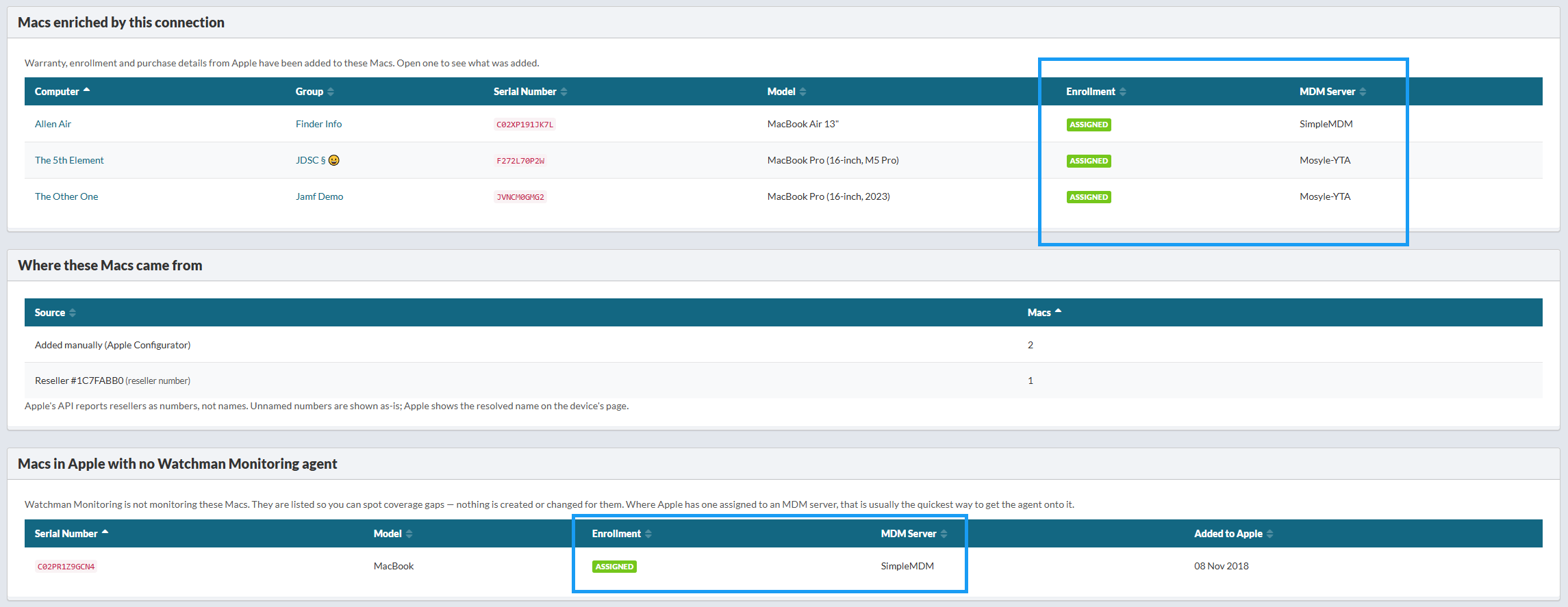
We dropped the “Updated” column in the same change. One sync stamps every row in the run, so that column repeated a single identical timestamp all the way down the page.
Two AppleCare rows on a Mac is normal — and now it says so
Apple returns the one-year Limited Warranty and any purchased AppleCare plan as separate coverage records. A Mac bought with AppleCare+ legitimately has both, so two rows on the expirations card is correct.
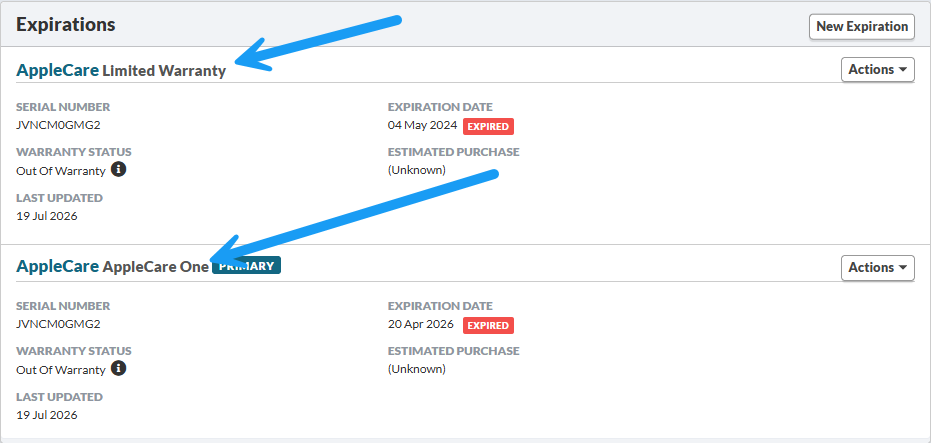
It didn’t look correct. Both rows were labeled simply “AppleCare,” so they read as the same entry printed twice. Each row now names the coverage it actually describes. Rows from other sources are untouched.
As always, let us know if you have any feedback or requests!
Ian, Garrett & Allen