Release notes · Linux Client · News · Release Notes
Introducing the New Watchman Monitoring Linux Agent (4.0.2)
We are pleased to announce a major milestone for Linux monitoring: a complete rewrite of the Watchman Monitoring Linux agent. Version 4.0.2 replaces the legacy Python 2 agent, which is retired and will no longer be receiving updates.
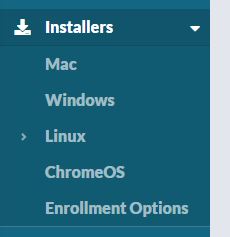
The new agent is available now to all subscribers. Install it from your dashboard under Installers → Linux.
Overview
The new Linux agent is a single compiled Go binary (monitoringclient). It does not depend on Python or a runtime interpreter on the host. Checks run on an hourly schedule via systemd, with a long-running beacon service for uptime reporting when enabled for your account.
This release is the foundation for modern Linux monitoring at Watchman Monitoring. The same architecture may inform future Mac and Windows agent work if we choose to pursue that path.
Features
Modern platform support
- Tested on: Ubuntu 22.04, Ubuntu 24.04, Debian 12, Rocky Linux 9, Fedora 40, Amazon Linux 2023
- Compatible with: other RHEL 9-family distros (AlmaLinux, RHEL) and recent glibc-based Linux with systemd
- Architectures: amd64 and arm64
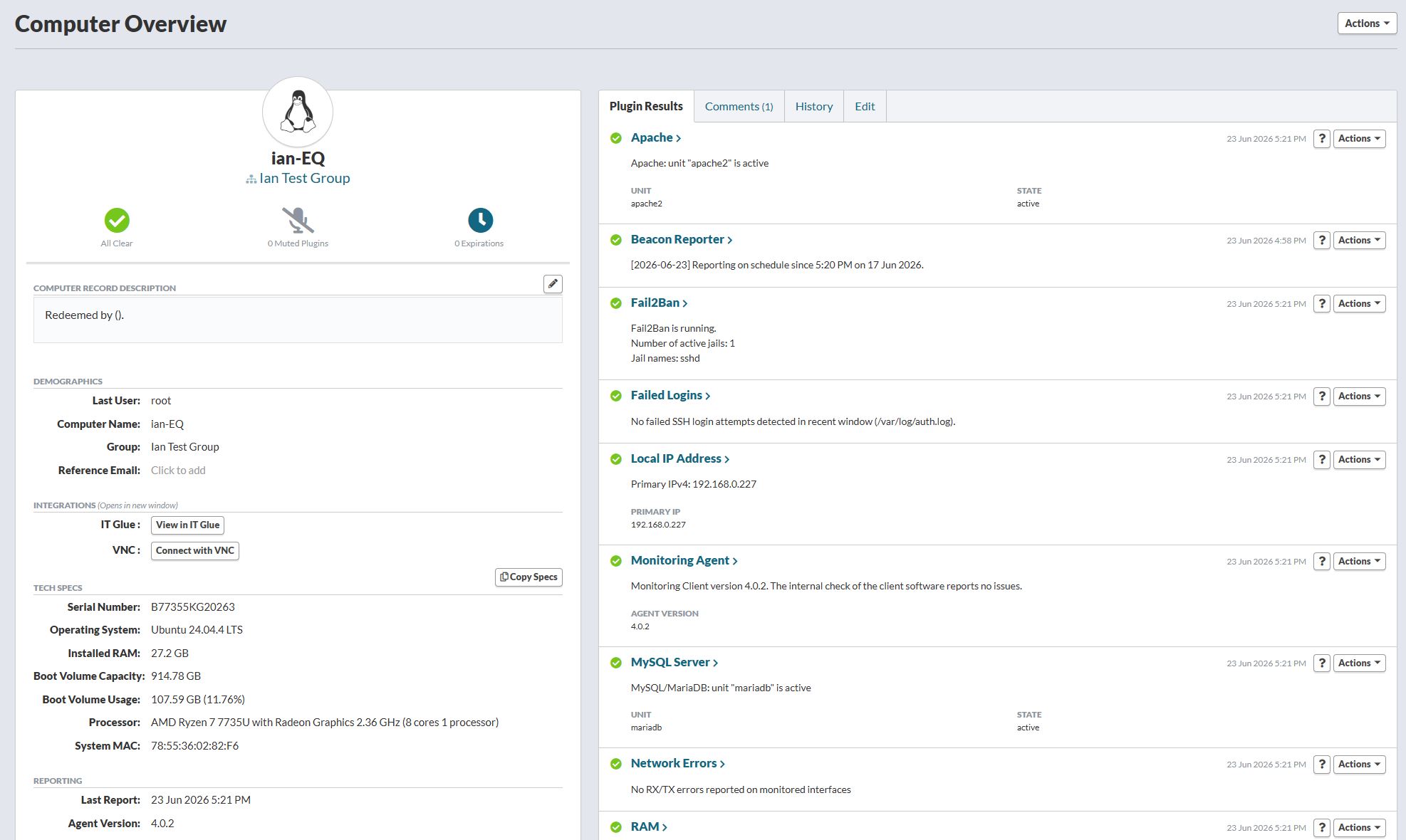
The agent ships with built-in checks for common Linux server monitoring, including:
- Root volume capacity
- Installed RAM
- Operating system version
- Last reboot time
- Failed SSH login attempts
- Fail2ban status
- Apache web server (systemd service status)
- MySQL/MariaDB (systemd service status)
- Primary internal IPv4 address
- Mounted volume status
- Network interface status
- Agent version and self-check
Beacon uptime reporting is supported and controlled from the server, same as other platforms.
Upgrading from the legacy Python agent
If a host is already running the old Python Linux agent:
- Install the new agent using the dashboard instructions (add the repository, install
monitoringclient, enroll with your install code). - During enrollment, the agent detects legacy settings and preserves your existing Watchman ID, group, and server configuration.
- The new agent automatically removes the old Python agent as part of enrollment. The computer stays enrolled on your dashboard; you do not need to remove the old agent first.
Important: Do not run the legacy run-client --remove command or purge the package as part of an upgrade. That can report the computer as removed. Install and configure the new agent instead.
Updates
Agent updates are delivered through your Linux package manager, the same way you install other system software:
- Debian/Ubuntu:
apt-get updateand upgrademonitoringclientfrom the Watchman Cloudsmith repository - RHEL family:
dnf upgrade monitoringclient(oryumon older systems)
There is no separate in-agent auto-update mechanism. Keep your repository configured and apply updates through apt or dnf according to your patch policy (manual upgrades or unattended-upgrades / dnf-automatic).
Requirements
- A supported Linux distribution (see above)
- systemd
- Network access to your Watchman reporting server
- A valid install code from your dashboard
Looking ahead
Version 4.0.2 is a full rewrite focused on reliability, modern distro support, and a maintainable codebase. We would love to hear what you think and if you have any feature requests, as we’re happy to implement additional plugins and features!